What Is Image Optimization in SEO? A Guide to Ranking and Speeding Up Images
Updated : September 4, 2026
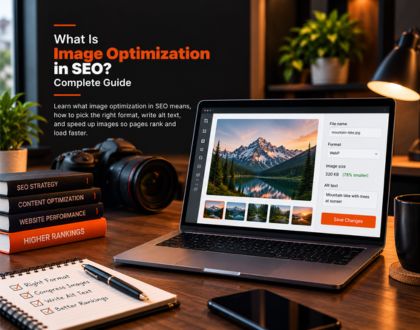
Image optimization in SEO is the process of preparing an image, its file, and the page around it so search engines can find, understand, and rank it, while keeping the file small enough to load quickly for visitors. It covers three areas working together:
- The image itself: format, size, and quality
- The metadata around it: file name, alt text, and structured data
- The technical delivery of the file: compression, responsive scaling, and caching
The sections below walk through each of these areas in order, from choosing an image through monitoring how it performs once published.
Why Does Image Optimization Matter for SEO?
Optimized images help a page in three separate ways at once.
- They can rank on their own in Google Images, Google Discover, and AI Overviews
- They speed up page load time, which affects Core Web Vitals and overall ranking
- They improve the experience for every visitor, including those using screen readers
Skipping image optimization does not just mean missing out on image search traffic. Large, poorly labeled images slow down the whole page and make it harder for Google to understand what the page is actually about. High-quality, consistent images also reinforce a fourth, less direct signal: how recognizable and trustworthy a brand appears across search, covered in more depth in Brand SEO Signals.
Choosing and Preparing the Right Image File
Getting the file right before it is even uploaded solves most image SEO problems before they start.
What Types of Images Should You Use?
A few categories cover most website needs:
- Photos, which showcase products or break up long sections of text
- Screenshots, which support step-by-step instructions
- Charts and graphs, which present data more clearly than a paragraph can
- Icons, which support navigation and usability
- Original graphics, which explain abstract or conceptual ideas
Photographers looking to apply these principles across a full portfolio site can find a more detailed walkthrough in SEO for Photographers: Guide and Tips.
Should You Use Stock Images or Original Photos?
Original photography and graphics tend to perform better than stock imagery. A stock photo has usually already been indexed on dozens of other sites, which gives Google little reason to treat a new use of it as valuable. If a stock or third-party image is used, confirming the license covers the intended use avoids a copyright issue later. For businesses that rely on original photography as a core part of their site, the case for investing in SEO alongside it is covered in Why Photographers Need SEO.
What Image Format Is Best for SEO?
Google Search supports images in BMP, GIF, JPEG, PNG, WebP, SVG, and AVIF format. Matching the format to the image type affects both quality and file size:
- SVG works best for logos and icons, since it scales to any size without quality loss
- WebP is generally the strongest default for photos and standard images, since it compresses smaller than JPEG or PNG at a similar visual quality while still supporting transparency
- JPEG remains a reliable fallback for photographs where WebP support is a concern
- PNG suits images that need transparency or contain fine text and detail
- GIF should stay limited to simple animations, since the format produces comparatively large files
How Should You Name Image Files for SEO?
Search engines use the file name as one signal for understanding what an image shows. A short, specific name outperforms a generic or overstuffed one.
- Good: apple-iphone-15-pink-side-view.jpg
- Bad: IMG00353.jpg
- Also bad: a name padded with every possible keyword variation
Spaces should be replaced with hyphens. Translated versions of a page should use translated file names as well, following the site's standard URL encoding rules.
Writing Alt Text and Image Metadata
Once the file itself is ready, the metadata around it tells both search engines and visitors what the image actually shows.
How Do You Write SEO-Friendly Alt Text?
Alt text is stored in the image tag's alt attribute and serves two purposes at once. It lets screen readers describe the image to visually impaired visitors, and it gives search engines a direct, human-written description of what the image contains. Google's image SEO guidance is explicit that alt text should describe the image accurately without repeating keywords. Keyword-stuffed alt text is treated under Google's spam policies and creates a poor experience for assistive technology users rather than a helpful one. A useful comparison of alt text quality:
- Missing entirely: no alt attribute at all
- Keyword-stuffed: alt="puppy dog baby dog pup pups puppies doggies retriever labrador terrier"
- Adequate: alt="puppy"
- Strong: alt="Dalmatian puppy playing fetch in a backyard"
Browser developer tools showing a descriptive alt attribute on a local SEO checklist image. ***Alt text visible in browser inspect tools for a Local SEO Checklist infographic on thekaizenglobal.com, captured September 4, 2026 *** A few additional rules keep alt text useful rather than bloated:
- Write it only for functional images, since purely decorative images do not need a spoken description
- Keep it under roughly 125 characters, since many assistive technologies stop reading past that point
- Avoid redundant phrases like "image of" or "photo of"
- Write different alt text for the same image if it is reused to illustrate different points on different pages
Do Open Graph Tags Matter for Image SEO?
Open Graph tags are not a direct Google ranking factor, but the og:image tag controls which image appears when a page is shared on social platforms. A missing or broken og:image often means a blank or unrelated preview image shows up instead, which can quietly hurt click-through rate wherever the link is shared. Four properties matter most on every page:
- og:title, the title shown in the preview
- og:type, the type of content, such as article or product
- og:image, the URL of the preview image
- og:url, the canonical URL of the page
Getting that preview image right matters more on some platforms than others, a distinction worth understanding alongside SEO vs. Instagram Ads when deciding where organic visibility efforts are best spent.
Does the Page Title and Meta Description Affect Image Search?
Google generates the title link and snippet shown for both text and image results using signals that include the page's title tag and meta description. A descriptive, accurate title and meta description on an image-heavy page, such as a product page or a gallery, helps Google display the right context alongside any image pulled from that page, the same way it would for a standard text result.
Making Images Load Fast
Large, uncompressed images are one of the most common causes of slow-loading pages. Images typically account for a large share of total page weight on the average website, which is why Core Web Vitals treats loading speed as part of how a page is evaluated for ranking.
How Do You Resize and Compress Images?
Two separate steps address image weight:
- Resizing sets the image's actual pixel dimensions to match how large it will display. Uploading a 3,000-pixel-wide photo into an 800-pixel container forces the browser to download far more data than the page needs
- Compressing reduces file size while preserving visual quality, using either lossy compression, which removes some image data permanently, or lossless compression, which reduces file size without removing any data
For lossy compression, a quality setting between 75 and 85 generally holds visual quality while meaningfully reducing file size. Resizing before compressing produces the smallest reliable file.
How Do You Serve Responsive Images for Every Device?
A single fixed image size forces mobile visitors to download the same large file a desktop visitor receives, which slows the page unnecessarily on smaller screens. The srcset attribute on an img element, or the picture element for more complex cases, lets a browser choose the most appropriately sized version of an image automatically based on the visitor's screen. Google recommends always specifying a fallback src attribute alongside these, since some crawlers and older browsers do not read srcset or picture correctly.
Should You Use Lazy Loading for Images?
Lazy loading defers downloading an image until it is about to enter the visitor's viewport, so the initial page load only has to account for content visible without scrolling. Adding the loading="lazy" attribute to an image tag is usually enough to enable this. Applying lazy loading to images above the fold, the ones visible without scrolling, actually slows the page rather than speeding it up. It should be reserved specifically for images further down the page.
How Does a CDN Help Image SEO?
Once individual images are optimized, how they travel from server to visitor still affects load time. A content delivery network hosts copies of a site's images on servers distributed globally, so a visitor's browser downloads the file from whichever server is closest and fastest rather than a single origin server on the other side of the world. Most modern website builders enable a CDN by default. Self-hosted sites typically need a CDN provider added manually with developer support. Browser caching complements a CDN by letting a returning visitor's browser reuse a previously downloaded image instead of requesting it again. Images change far less often than page text, so they are usually safe to cache for a long period, often a year or more.
Helping Google Discover, Understand, and Rank Your Images
Beyond the file and the page around it, a few technical signals help Google find and correctly categorize an image in the first place.
Does Structured Data Help Images Rank?
Structured data increases the odds that an image earns a rich result, such as a thumbnail badge inside Google Images or an enhanced listing in standard search results. Google also allows a page to specify its preferred image directly, either through the schema.org primaryImageOfPage property or through the og:image meta tag, rather than leaving Google to guess which image best represents the page. The preferred image should be:
- Genuinely representative of the page's content
- In a normal aspect ratio, not extremely narrow or wide
- Free of overlaid text
- Not a generic site logo standing in for the actual subject
Do You Need an Image Sitemap?
An image sitemap is an XML file that explicitly lists the image URLs on a site. It helps Google discover images it might otherwise miss, particularly ones loaded through JavaScript, hosted on a separate CDN domain, or buried deep in a large site's structure. Google's current sitemap format only requires the image location tag. Older extension tags for captions, titles, and geo-location were deprecated in 2022 and no longer need to be included.
How Do You Make Sure Images Are Crawlable and Indexable?
None of the optimization work above matters if Google cannot access the image in the first place. A short technical check covers the most common blockers:
- The robots.txt file should not disallow Googlebot-Image from reaching the site's image directories
- Pages that should rank should not carry a noindex tag, since that also removes any images on the page from consideration
- Images should return a standard 200 HTTP status code rather than a broken link or redirect chain
- Images embedded through blocked or heavily obfuscated JavaScript are harder for Google to find than images placed directly in standard HTML img elements
How Do You Optimize Images for AI Search and AI Overviews?
AI Overviews and other AI-generated answers increasingly pull and display images alongside generated text. The same fundamentals that help an image rank in traditional search also help it surface here.
- Descriptive alt text and file names give an AI system the same contextual signal they give a traditional crawler
- Structured data helps confirm what an image actually depicts, rather than leaving that inference to a computer vision model alone
- Clear, accurate surrounding page content gives AI systems less reason to skip the image in favor of a better-described alternative elsewhere
The broader mechanics of how AI Overviews select and cite sources are covered separately in Google AI Overviews and SEO.
Which Image SEO Fixes Should You Prioritize First?
Not every fix carries equal weight, and sites just starting get the best return by working through the highest-impact items first rather than tackling everything at once.
- Resize and compress oversized images, usually the single biggest speed win on any site
- Add alt text to every functional image that is missing it, which closes both an accessibility gap and a basic indexing gap
- Convert legacy formats to WebP where the platform supports it, for a meaningful file-size reduction with minimal effort
- Rename generic file names on new images going forward, since retrofitting file names across an entire existing site is far more work than starting clean
- Add structured data and an image sitemap, which take the most setup effort but pay off most on large or ecommerce sites with thousands of images
A Worked Example: Optimizing One Product Photo
Applying the full process to a single image shows how the individual steps connect. Take one product photo for an online store: a pair of leather boots photographed against a plain background.
Step One: Prepare the File
The original photo arrives as a 4,000-pixel-wide PNG at roughly 8MB. Resizing it to 1,600 pixels wide, the largest size the product page container actually displays, and converting it to WebP brings the file down to roughly 180KB with no visible loss in quality.
Step Two: Name and Tag It
The file is renamed from IMG_8841.png to brown-leather-boots-side-view.webp. Alt text is added: "Brown leather ankle boots, side view, stitched sole."
Step Three: Add Context and Structured Data
Product schema markup is added to the page, including the image property, making the photo eligible for a rich result. The og:image tag is set to the same optimized file so the correct image appears whenever the product page is shared.
Step Four: Confirm It Is Indexable
A quick check confirms the image returns a 200 status code, is not blocked in robots.txt, and is not excluded by a noindex tag mistakenly applied to the wrong page template.
How Do You Monitor Image SEO Over Time?
Image SEO is not a one-time setup.
- Search Console's image search performance data shows which images are actually earning impressions and clicks over time
- A periodic technical crawl catches newly broken image links, missing alt text on recently added pages, or images accidentally blocked by a robots.txt change
- Revisiting older pages periodically confirms that earlier optimization work is still intact after redesigns or platform migrations
The broader process for refreshing an aging page, beyond just its images, is covered in How to Update Content for SEO.
Frequently Asked Questions
Does compressing an image too much hurt its search ranking?
Over-compressing an image degrades its visual quality, which can hurt user engagement and, indirectly, how the page performs, even though compression level itself is not a direct ranking signal. A quality setting between 75 and 85 for lossy compression generally avoids visible degradation while still meaningfully reducing file size.
Can an image rank in Google Images without appearing anywhere in the page's visible text?
An image can technically be indexed without matching visible text, but it is far less likely to rank well, since Google relies heavily on the surrounding page content, captions, and nearby text to understand what an image depicts. Placing an image near text that actually discusses its subject matter gives Google a much stronger contextual signal than the image file alone.
Is it worth optimizing images on a page that already ranks well in text search?
Yes, since image search and AI Overviews represent separate traffic opportunities from standard organic rankings. A page can rank well in text results while its images remain invisible in Google Images or absent from an AI Overview citation. Auditing the images on already-successful pages often surfaces easy wins, since the content quality that earned the text ranking is already established.
How many images should a typical blog page include?
There is no fixed number, since the right count depends on how much the topic benefits from visual explanation rather than an arbitrary target. A process-heavy or comparison-heavy topic usually needs more supporting images than a purely narrative one, and adding images purely to hit a count tends to slow the page without adding real value.
Do images need alt text if they already have a visible caption underneath them?
Yes, since a caption and alt text serve different audiences and purposes. A caption is visible to every visitor, while alt text is read by screen readers and used by search engines when the caption text does not fully describe the image itself. Removing alt text because a caption exists still leaves a gap for assistive technology users and search engines alike.
Optimize Every Image on Your Site With Kaizen Global
Image optimization in SEO works best as a deliberate process applied consistently across format, metadata, compression, and delivery rather than a handful of one-off fixes. Kaizen Global's SEO services, alongside dedicated content writing services, apply this process to every client site, from the initial image audit through ongoing performance monitoring. Businesses ready to see this process applied to their own images can schedule a call through Calendly or reach out directly through the contact us form.
Optimize Every Image on Your Site With Kaizen Global
Insights

Mobile Seo Checklist - A Complete Guide
Mobile SEO refers to optimizing your website to ensure it performs well on mobile devices, offering a seamless user experience ...
25-Step SEO Migration Checklist
Migrating your website can feel like a daring task filled with potential challenges. No matter if you're redesigning your site ...

Local SEO Checklist: Maximize Your Local Reach
Local search engine optimization (SEO) has become essential for businesses aiming to connect with their community and attract nearby ...